Modify the area specified by a shapefile#
WRFtailor can modify the WRF input data (grid points) inside the area of a shapefile, by providing the desired variable to be modified and a polynomial to replace the values of the desired variable.
All required settings can be managed by a text file (namelist.wrf).
Note
The shapefile can partly cover the domains. For example, it is okay if the shapefile be entirely inside the parent domain, but covers half of the subdomain.
Example#
Modify WPS geographical data (geo_em.d01.nc and geo_em.d02.nc):
Provide the paths to the files in namelist.tailor:
Set namelist.tailor to modify the values of the desired variables:
In the table above, the variable LANDUSEF in the area inside the shapefile tehranbasin.shp will be modified and replaced by (ALBEDO12M * 1.1) + EROD + GREENFRAC + 1.2. substitute_var_levels1 specifies the levels for ALBEDO12M, EROD, and GREENFRAC, respectively. Levels for each of these variable may be a special dimension (month, soil layer, etc).
Shapefile area to be used for modifying the LANDUSEF variable:
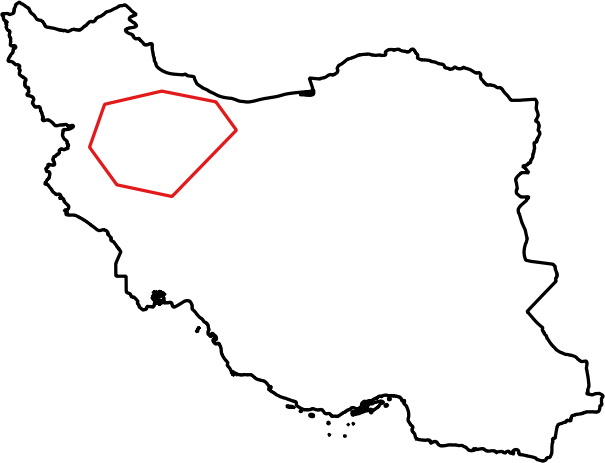
Shapefile border#
Parent domain and nested domains for the WRF input data (geo_em):

WRF domain structure#
Nested domain will be tailored as shown below:
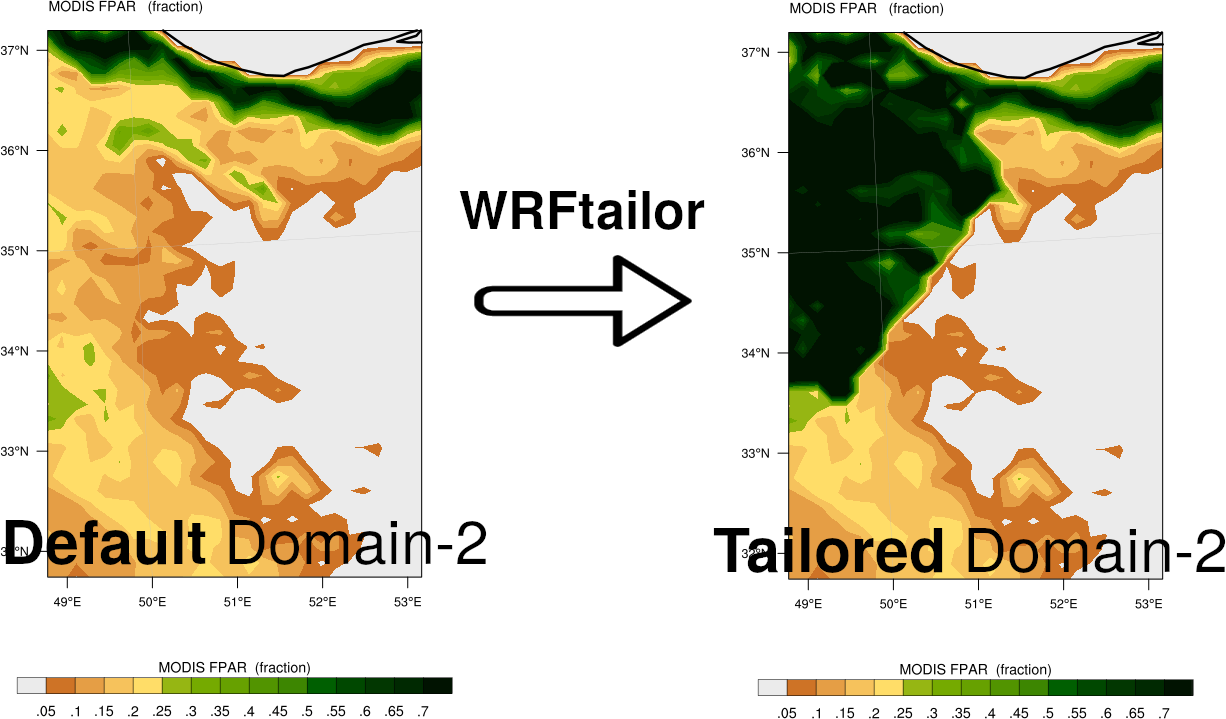
Variable LANDUSEF, modified by WRFtailor#
Parent domain will be tailored as shown below:
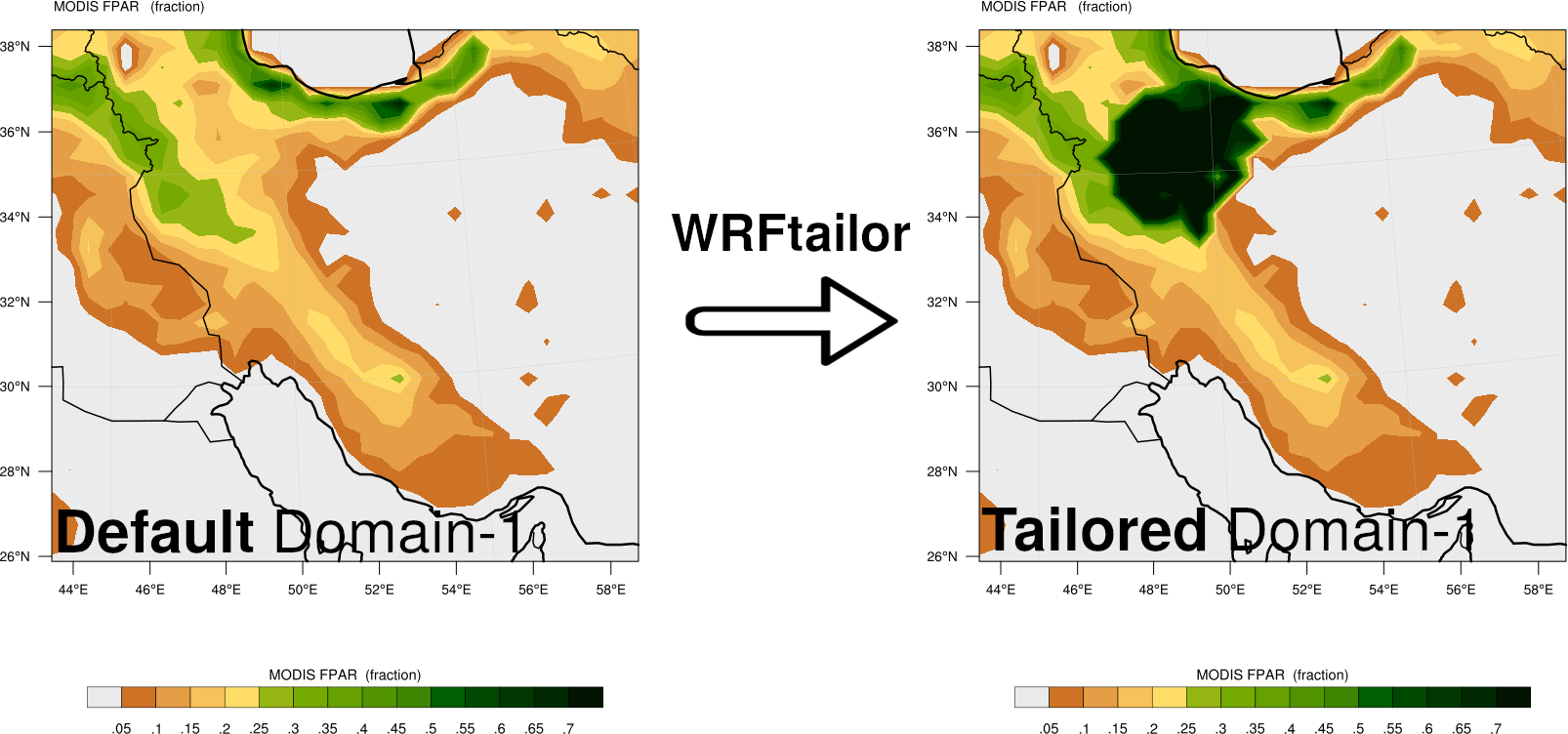
Variable LANDUSEF, modified by WRFtailor#