Fill an area using a geotiff file
WRFtailor can modify the WRF input data (grid points) by replacing its values by a GeoTiff file.
All required settings can be managed by a text file (namelist.wrf).
Example
Modify WPS geographical data (geo_em.d01.nc and geo_em.d02.nc) and replace the values using a GeoTiff file:
Provide the paths to the files in namelist.tailor:
Set namelist.tailor to modify the values of the desired variables:
In the table above, the variable HGT_M will be replaced by the values of dem_tehran.tif. The values outside of dem_tehran.tif boundary will not be changed.
Parent domain and nested domains for the WRF input data (geo_em):
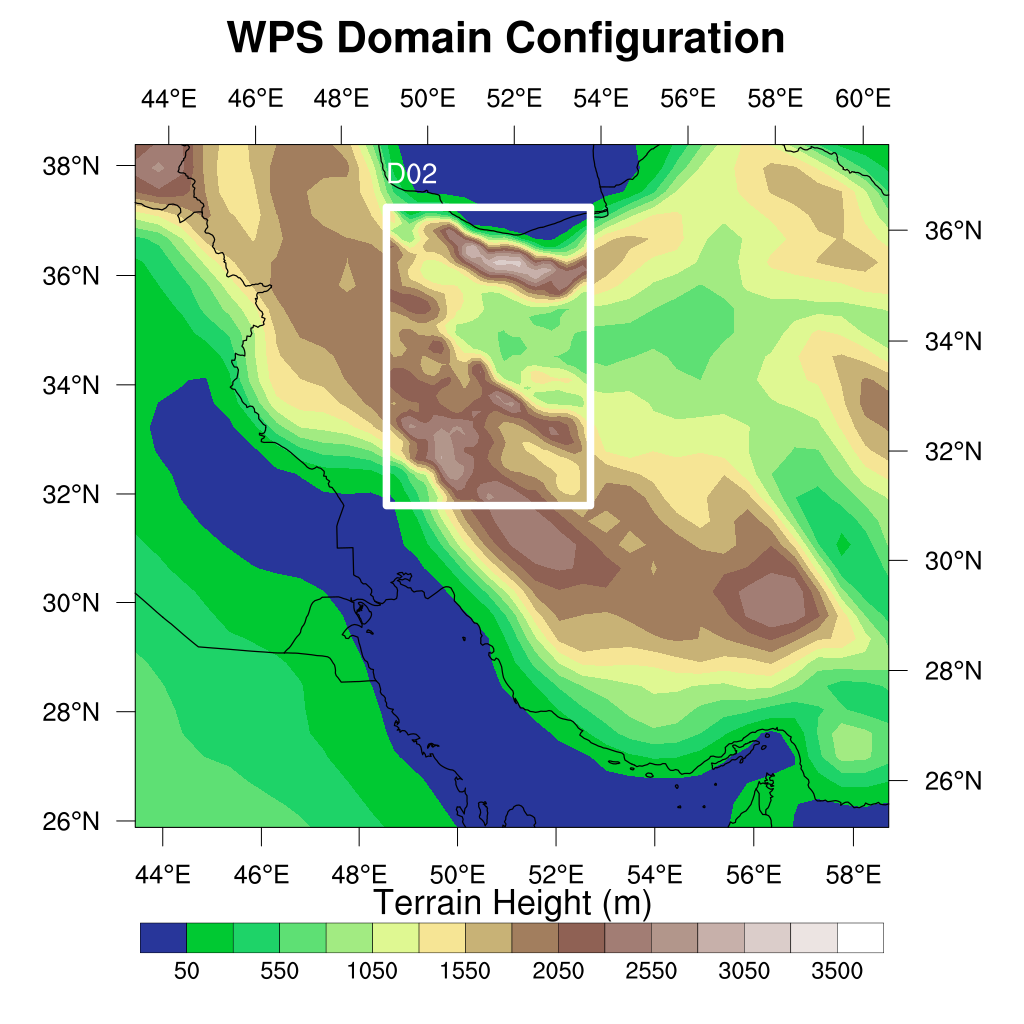
WRF domain structure
Nested domain will be tailored as shown below:
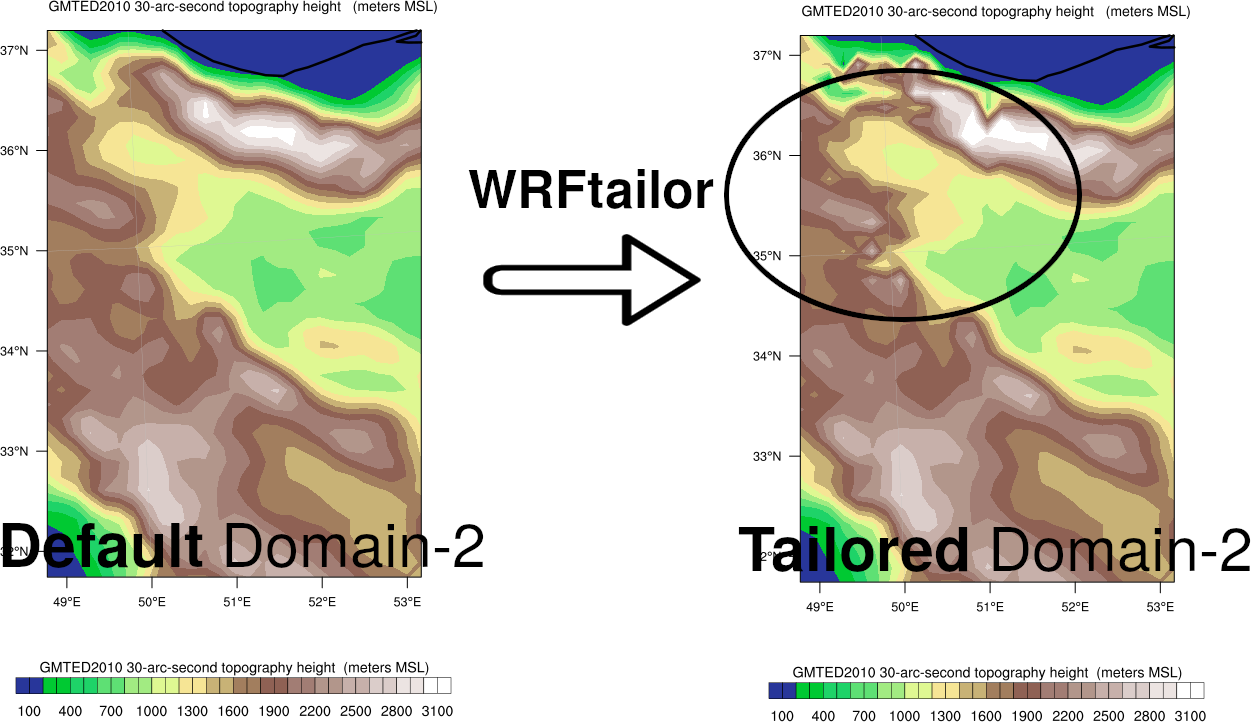
Variable HGT_M, modified by WRFtailor
Parent domain will be tailored as shown below:
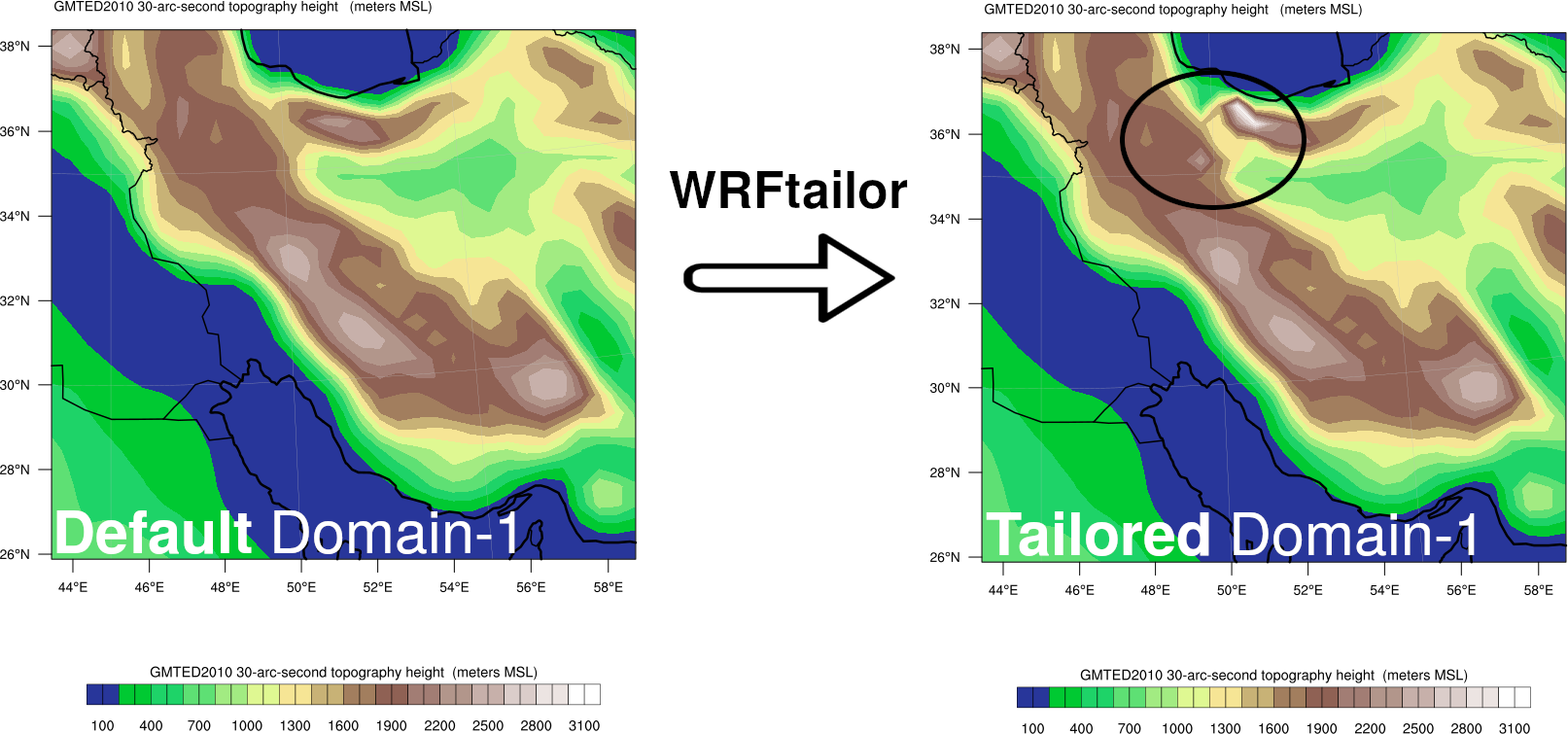
Variable HGT_M, modified by WRFtailor